Issue
I want to display different fields in the various data tables.

This applies for following objects
- Opportunity
- Recurring Donation
- Payment
- Receipt
- Receipt Batch Log
Solution
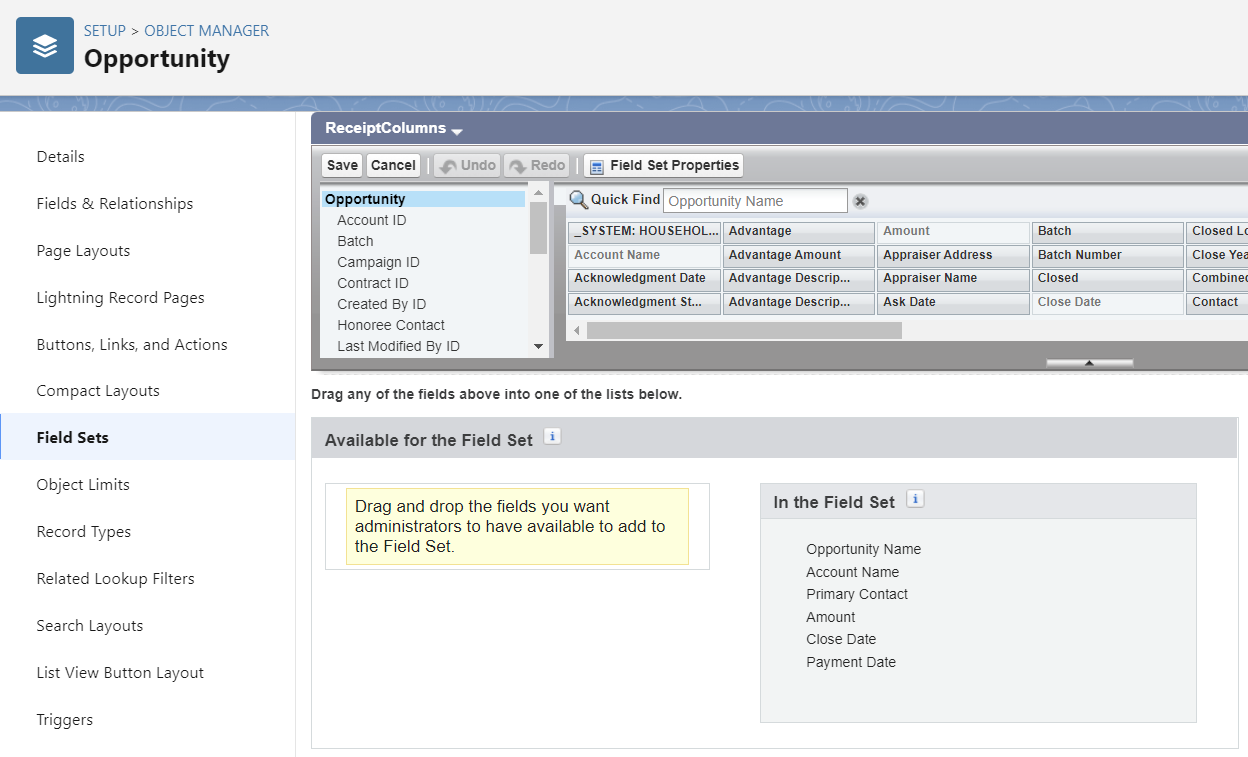
You can control which fields appear in data tables, and their order, by updating the field set called “ReceiptColumns”.
For example, for opportunities
- Go to Settings > Object Manager > Opportunity > Field Sets
- Click “ReceiptColumns”
- Drag and drop and/or reorder fields based on your needs