
Merge Receipts in Batch

Menu

Skip to content
  • Features
  • Tour
  • Pricing
  • About
  • FAQ
  • Français

Merge Receipts in Batch

Getting Started

4

FAQ

5
  • Receipt template editor doesn’t display
  • Delivery Status
  • Receipt Occurrence
  • Receipt Delivery
  • Receipt Status

How to

10
  • Change the Fields Displayed in the Tables
  • Use the Receipt Template Editor
  • Add a Custom Field to the Receipt .pdf
  • Merge Receipts in Batch
  • Email Receipts in Batch
  • Void and Re-Issue a Receipt
  • Create Receipts in Batch
  • Create a Single Receipt for a Payment
  • Create a Single Receipt for a Recurring Donation
  • Create a Single Receipt for an Opportunity

Dryad Receipting for Salesforce NPSP

26
  • Third-Party Access and Data Residency
  • Permission Sets
  • Custom Fields
  • Release Notes
  • Data Model
  • Receipt Template Library – English
  • CRA Requirements
  • Change the Fields Displayed in the Tables
  • Use the Receipt Template Editor
  • Add a Custom Field to the Receipt .pdf
  • Merge Receipts in Batch
  • Email Receipts in Batch
  • Void and Re-Issue a Receipt
  • Create Receipts in Batch
  • Create a Single Receipt for a Payment
  • Create a Single Receipt for a Recurring Donation
  • Create a Single Receipt for an Opportunity
  • Receipt template editor doesn’t display
  • Delivery Status
  • Receipt Occurrence
  • Receipt Delivery
  • Receipt Status
  • Register App as Premium Edition
  • Set Federated Charity Model
  • Installation Guide
  • Application Requirements

Receipt Templates

2
  • Receipt Template Library – English
  • CRA Requirements

Technical Information

5

Dryad Receipting for Salesforce NPC

5
  • Third-Party Access and Data Residency
  • Permission Sets
  • Data Model
  • Release Notes
  • Application Requirements

Technical Information

4

Getting Started

1
View Categories
  • Docs
  • Dryad Receipting for Salesforce NPSP
  • Merge Receipts in Batch

Merge Receipts in Batch

< 1 min read

Note: This feature allows you to merge multiple receipt .pdf files into a single .pdf. This allows for easier downloading and printing, before mailing the tax receipt to donors.

Note: This feature is only available in the Pro Edition of Dryad Receipting.

Note: In order to merge receipts, there must be one or more receipts with Delivery Status = “To be Printed”.

Note: For more details about Delivery Status, see Delivery Status Definition. 

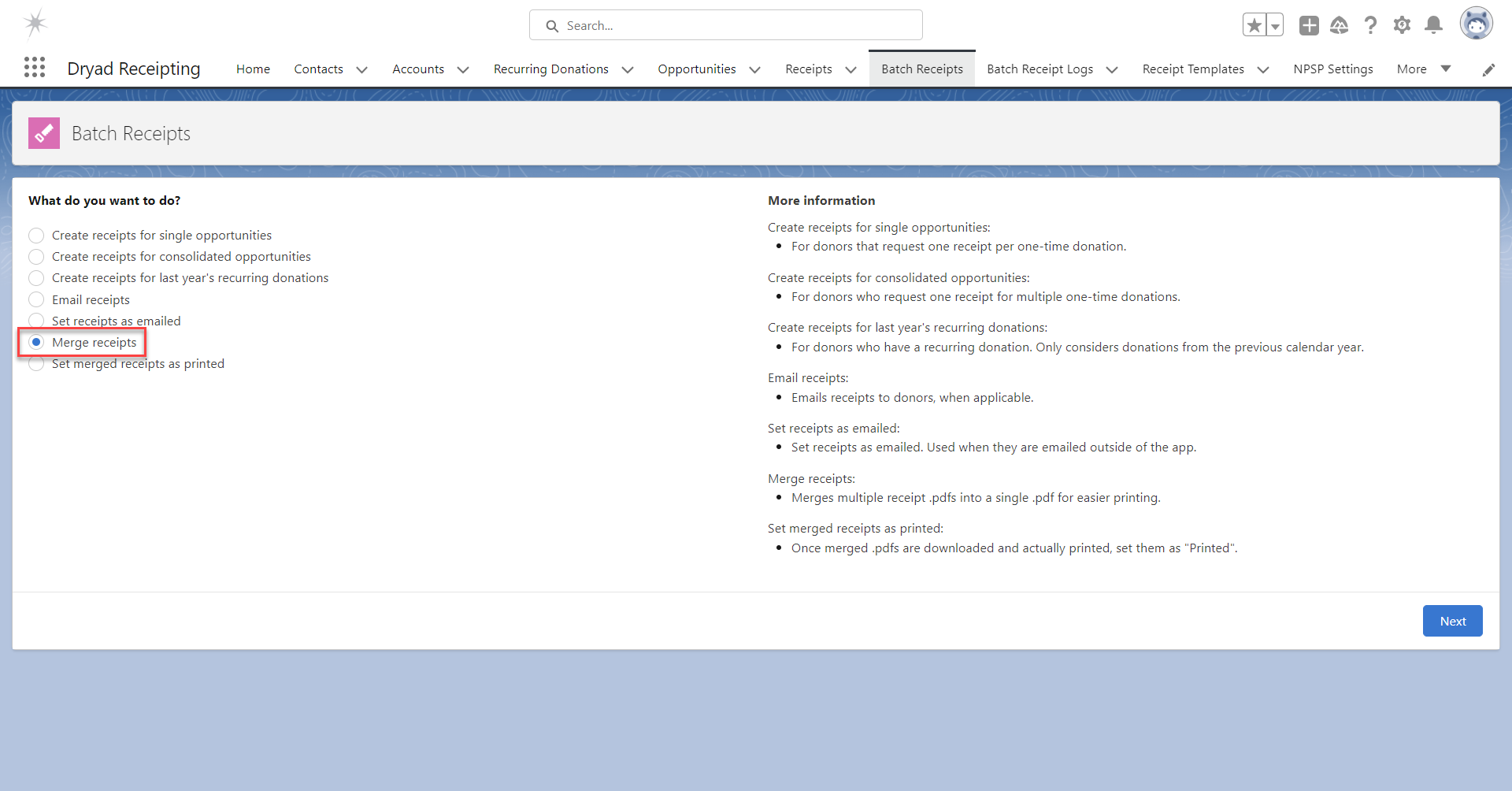
To merge receipts in batch, go to the tab “Batch Receipts”.

Select “Merge receipts” and click “Next”.
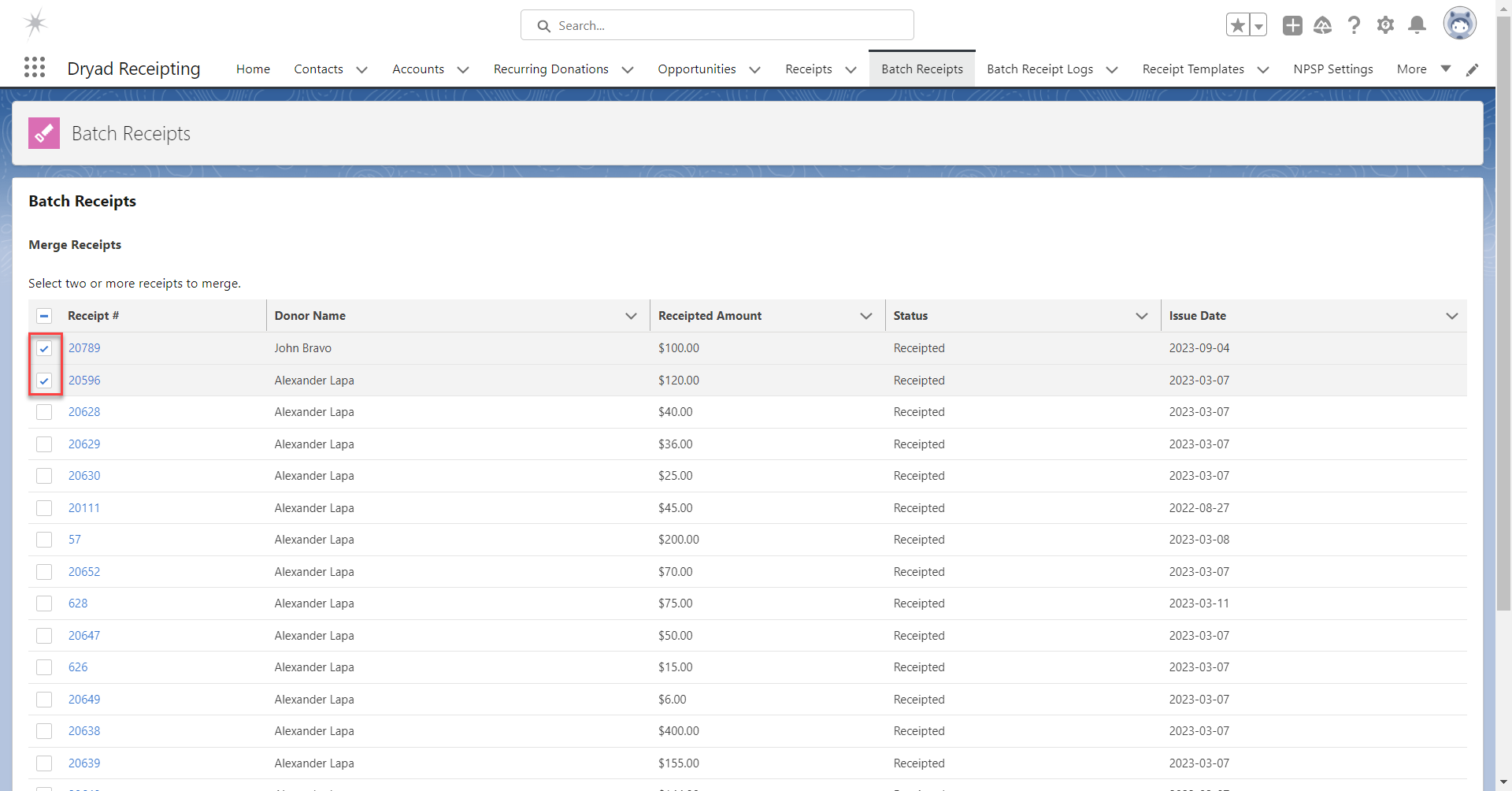
Select the desired receipts to merge and click “Next”.

Note: If there are more than 100 available receipts, this page is not displayed. Instead, the number of available receipts is displayed and you can merge all receipts or none of them.
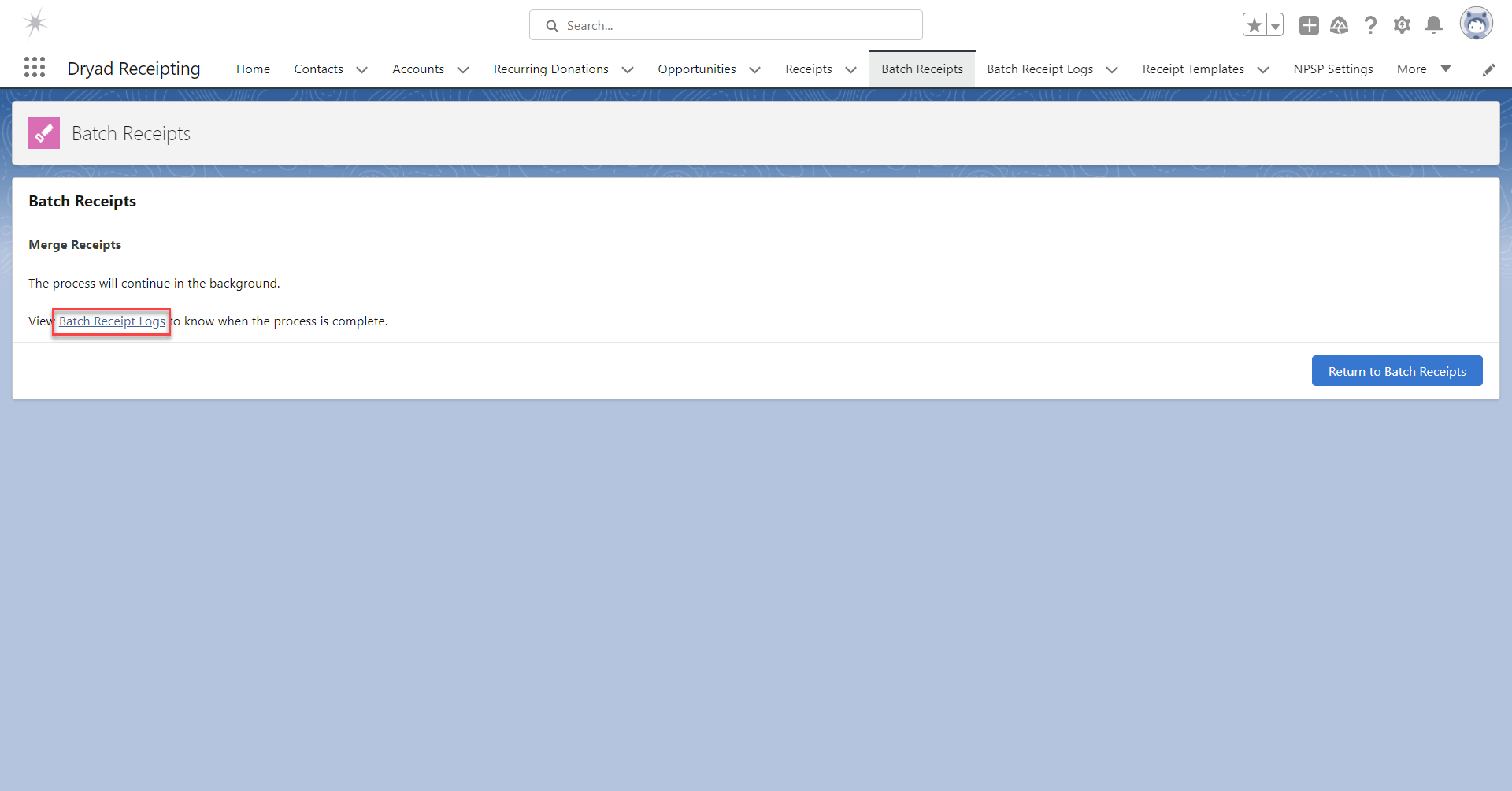
Allow the process to complete. 

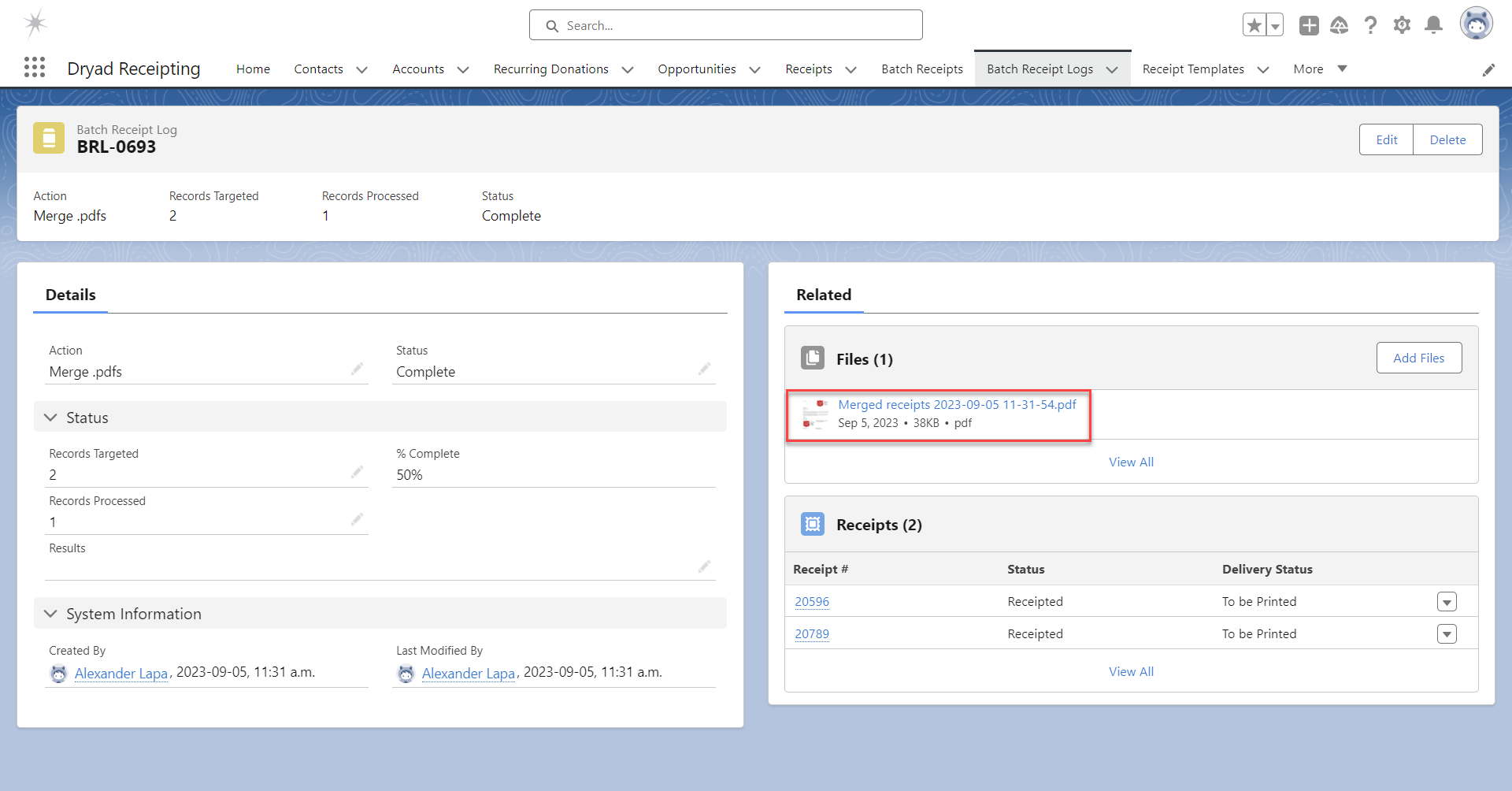
To view the progress and completion of the action, click the link “Batch Receipt Logs”. 
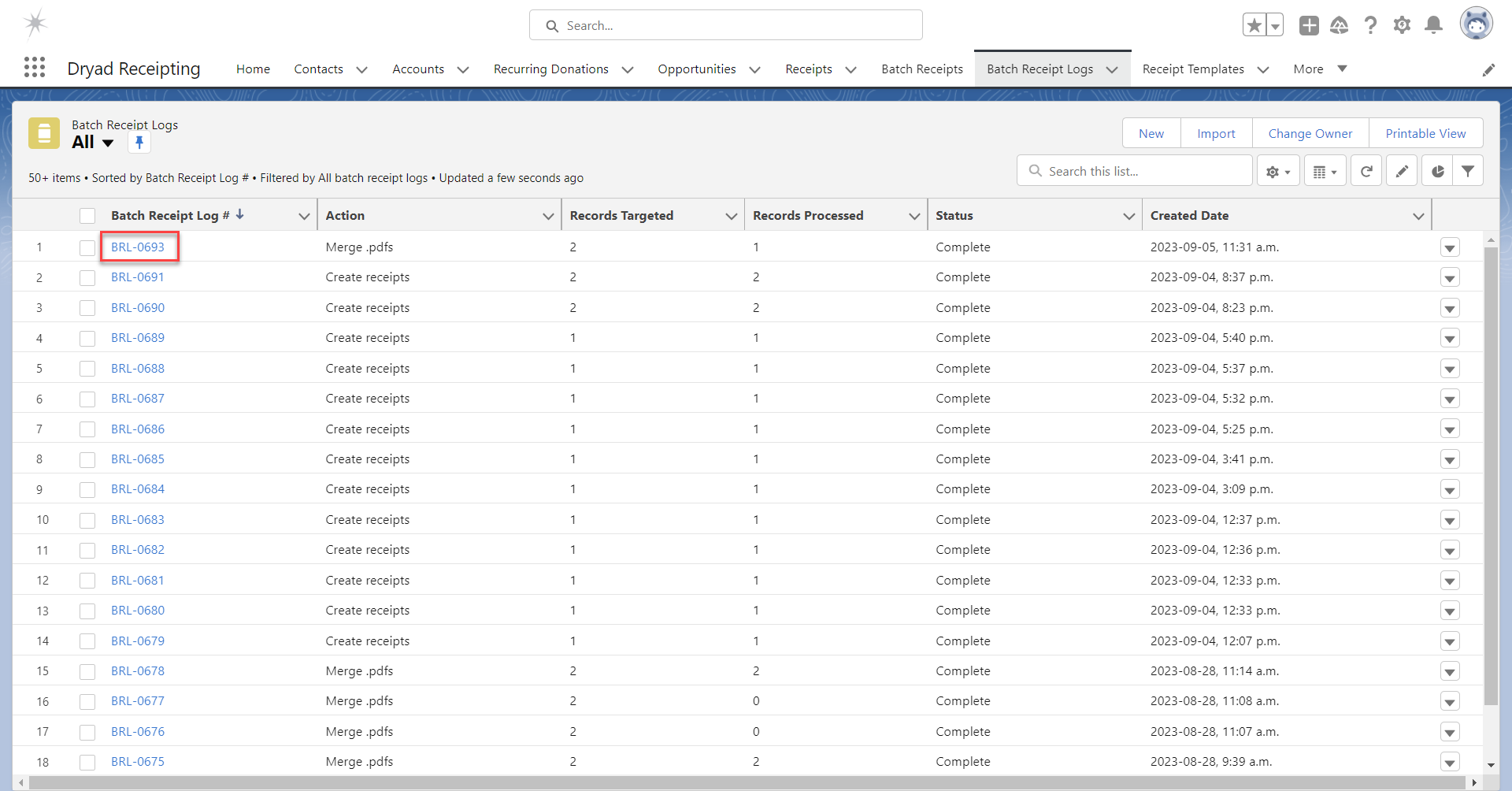
Click on the most recent Batch Receipt Log.
View and download the merged receipt in the Files related list.

Note: It’s normal to see Records Processed = 1, since one file was created.
Updated on 2026-09-13
Add a Custom Field to the Receipt .pdfEmail Receipts in Batch

Sales

  • Pricing
  • FAQ
  • Schedule a Live Demo
  • View a Quick Demo
  • Why Choose Dryad Receipting

Support

  • Support & Documentation
  • Release Notes
  • Terms of Use
  • Privacy Policy

Contact

  • Contact Us
  • About

Dryad Receipting for Salesforce is designed and developed by Dryad Consulting, a Salesforce partner that specializes in nonprofits.

© 2026 Dryad Receipting for Salesforce | Tax Receipting for Canadian and American Charities