
Void and Re-Issue a Receipt

Menu

Skip to content
  • Features
  • Tour
  • Pricing
  • About
  • FAQ
  • Français

Void and Re-Issue a Receipt

Getting Started

4

FAQ

5
  • Receipt template editor doesn’t display
  • Delivery Status
  • Receipt Occurrence
  • Receipt Delivery
  • Receipt Status

How to

10
  • Change the Fields Displayed in the Tables
  • Use the Receipt Template Editor
  • Add a Custom Field to the Receipt .pdf
  • Merge Receipts in Batch
  • Email Receipts in Batch
  • Void and Re-Issue a Receipt
  • Create Receipts in Batch
  • Create a Single Receipt for a Payment
  • Create a Single Receipt for a Recurring Donation
  • Create a Single Receipt for an Opportunity

Dryad Receipting for Salesforce NPSP

26
  • Third-Party Access and Data Residency
  • Permission Sets
  • Custom Fields
  • Release Notes
  • Data Model
  • Receipt Template Library – English
  • CRA Requirements
  • Change the Fields Displayed in the Tables
  • Use the Receipt Template Editor
  • Add a Custom Field to the Receipt .pdf
  • Merge Receipts in Batch
  • Email Receipts in Batch
  • Void and Re-Issue a Receipt
  • Create Receipts in Batch
  • Create a Single Receipt for a Payment
  • Create a Single Receipt for a Recurring Donation
  • Create a Single Receipt for an Opportunity
  • Receipt template editor doesn’t display
  • Delivery Status
  • Receipt Occurrence
  • Receipt Delivery
  • Receipt Status
  • Register App as Premium Edition
  • Set Federated Charity Model
  • Installation Guide
  • Application Requirements

Receipt Templates

2
  • Receipt Template Library – English
  • CRA Requirements

Technical Information

5

Dryad Receipting for Salesforce NPC

5
  • Third-Party Access and Data Residency
  • Permission Sets
  • Data Model
  • Release Notes
  • Application Requirements

Technical Information

4

Getting Started

1
View Categories
  • Docs
  • Dryad Receipting for Salesforce NPSP
  • Void and Re-Issue a Receipt

Void and Re-Issue a Receipt

< 1 min read

Note: This functionality voids a single tax receipt.

Note: In order for a single receipt to be voided, the Status of the receipt must not be “Voided”.

Note: The Status can be one of the following values:

StatusCan a receipt be voided?Comments
ReceiptedYes
VoidedNo

Void a Receipt

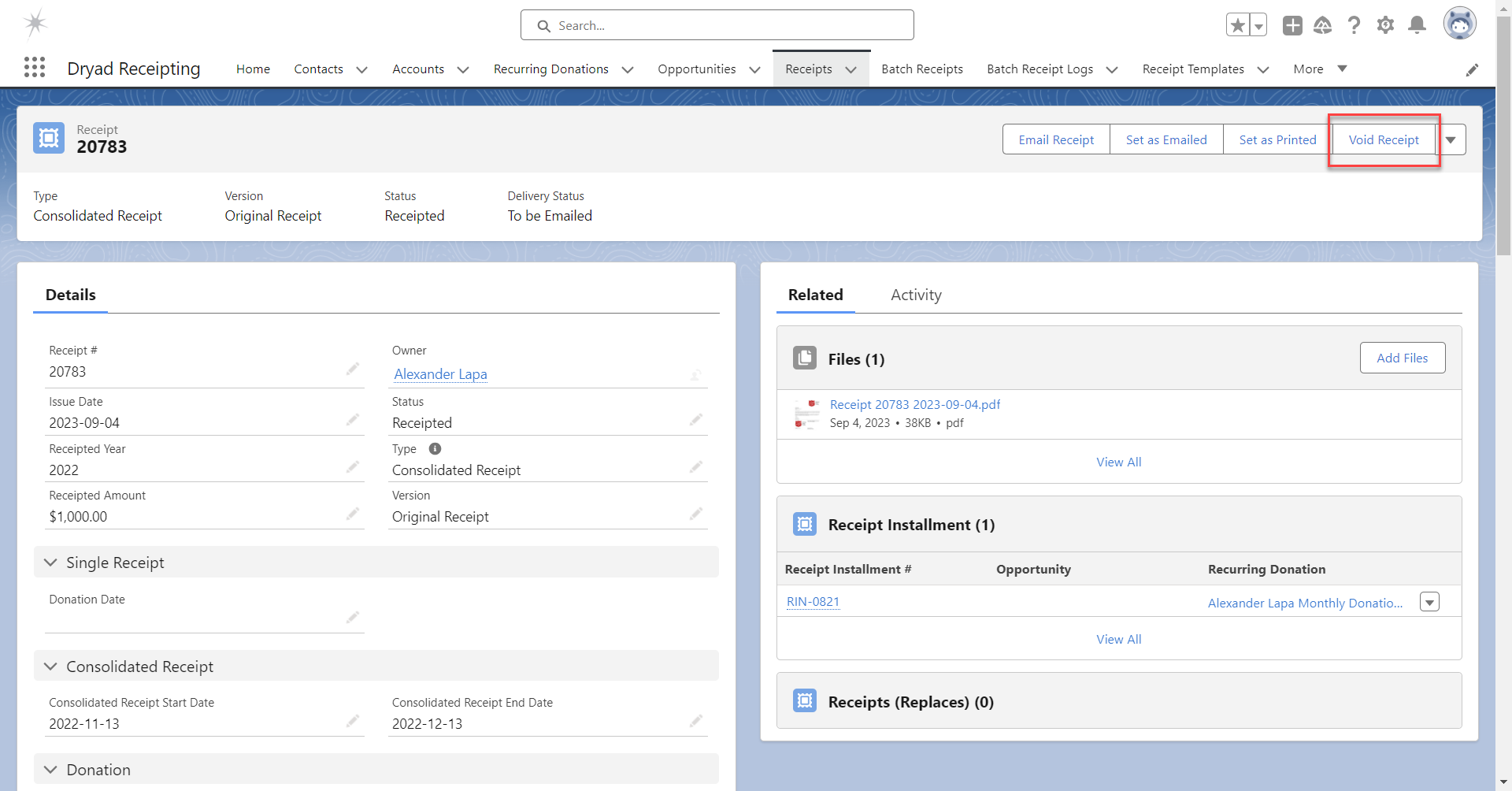
To void a receipt, go to the receipt for which you want to void.

Click the button “Void Receipt”.
A confirmation message appears:
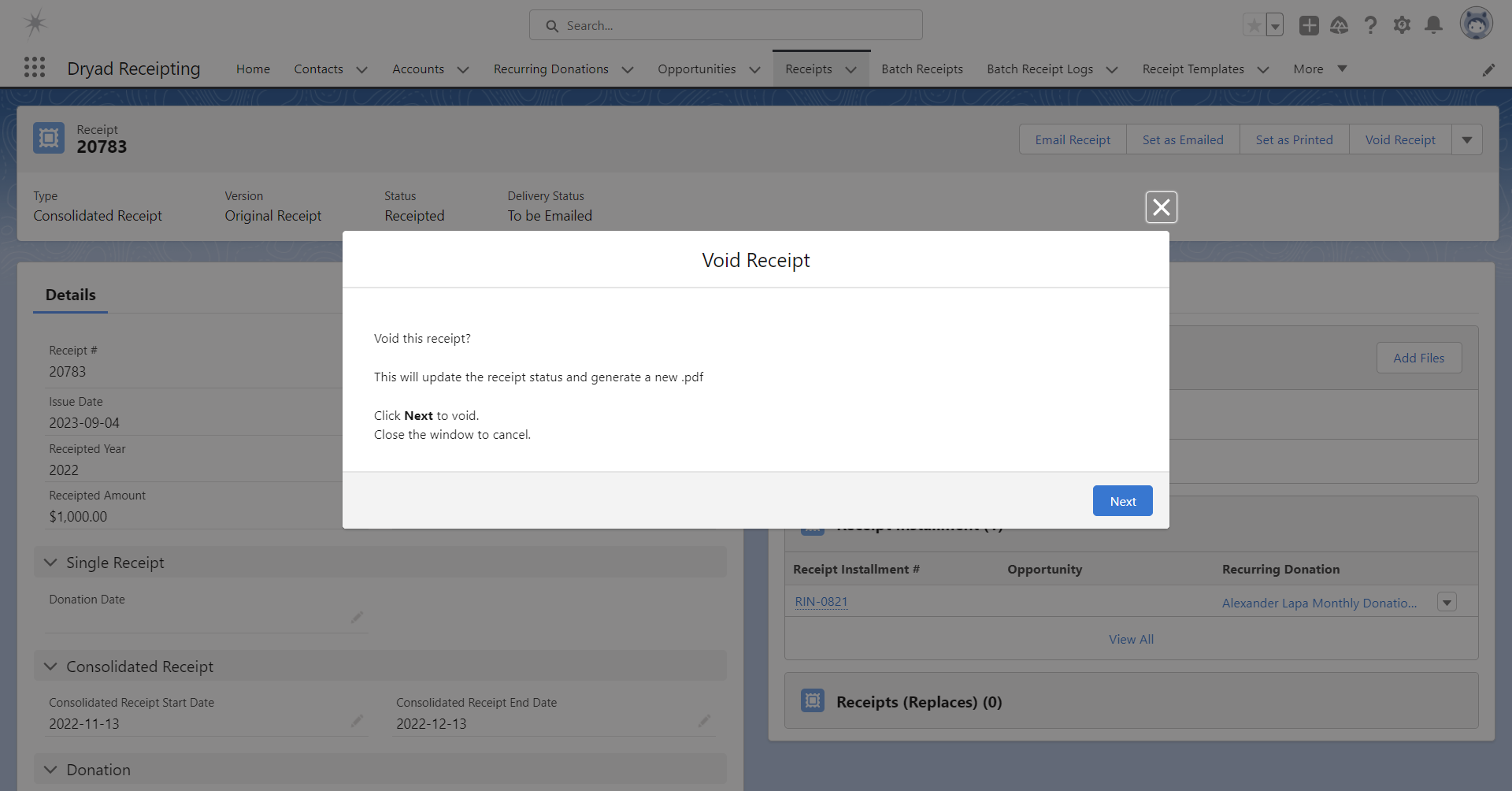
If you want to void the receipt, click “Next”.

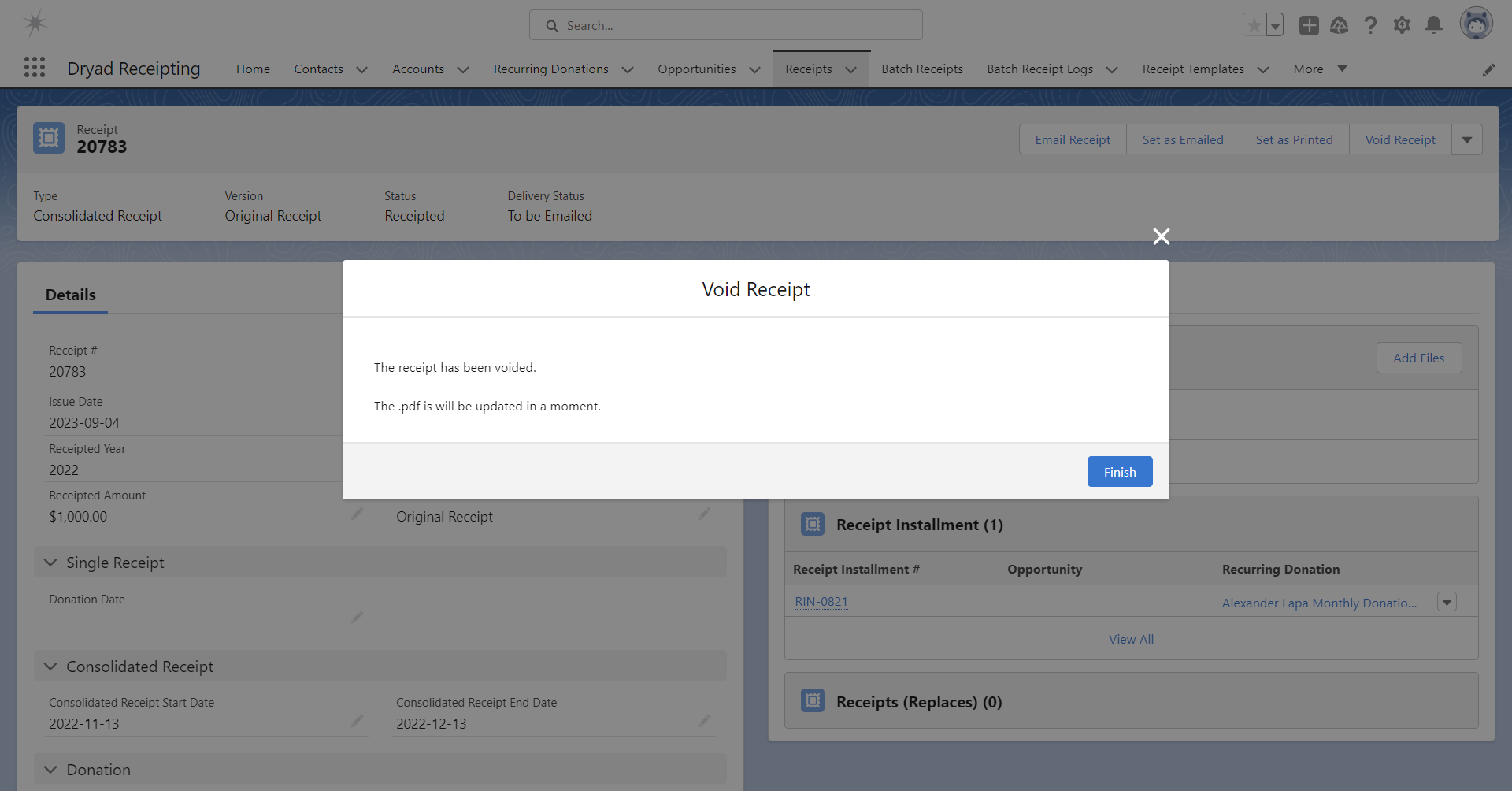
Upon clicking “Next”, if the receipt was successfully voided, the following message appears: 
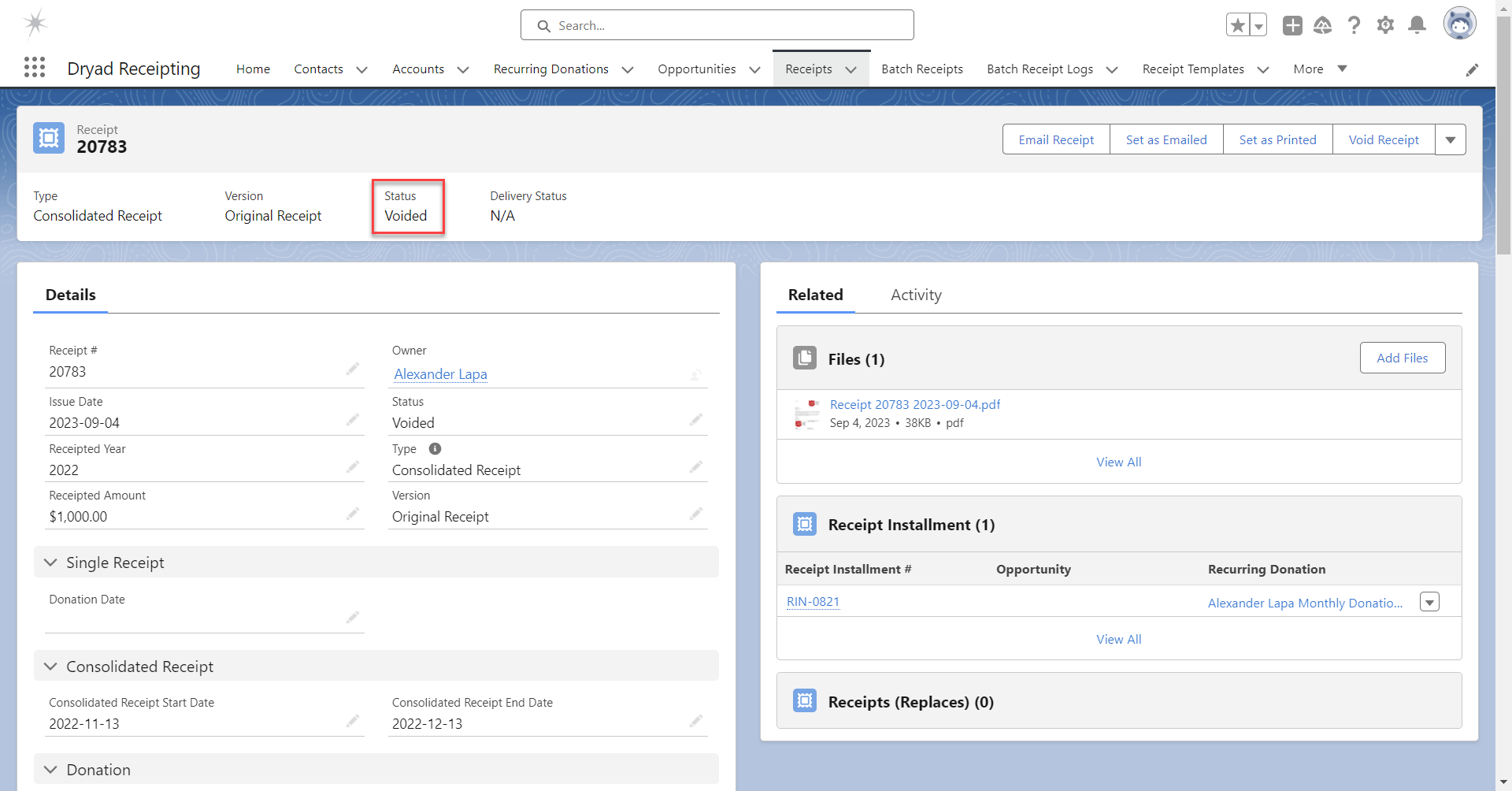
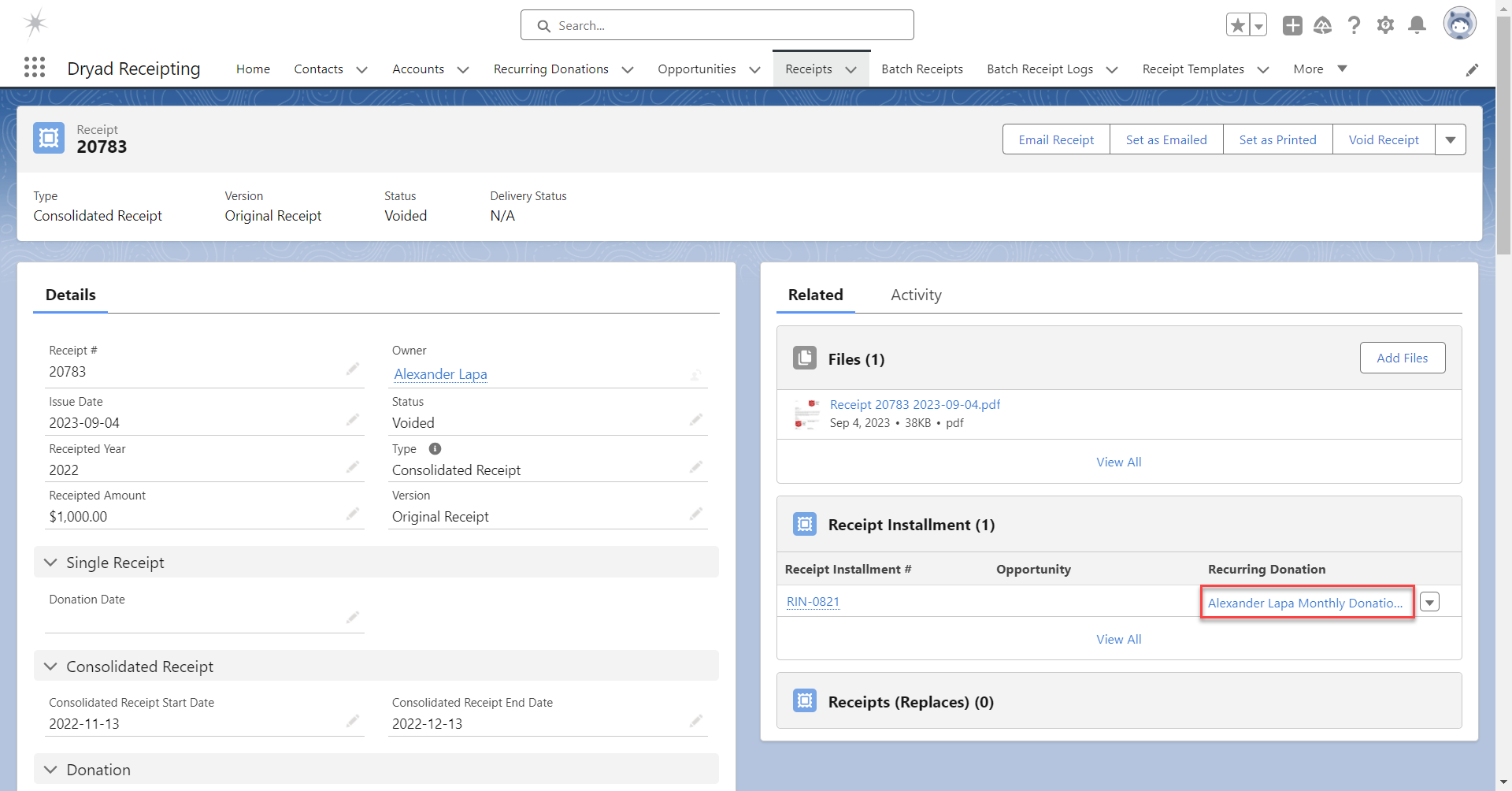
The Status is now “Voided”, the Delivery Status is “N/A” and the .pdf is re-created.
Re-Issue a Receipt

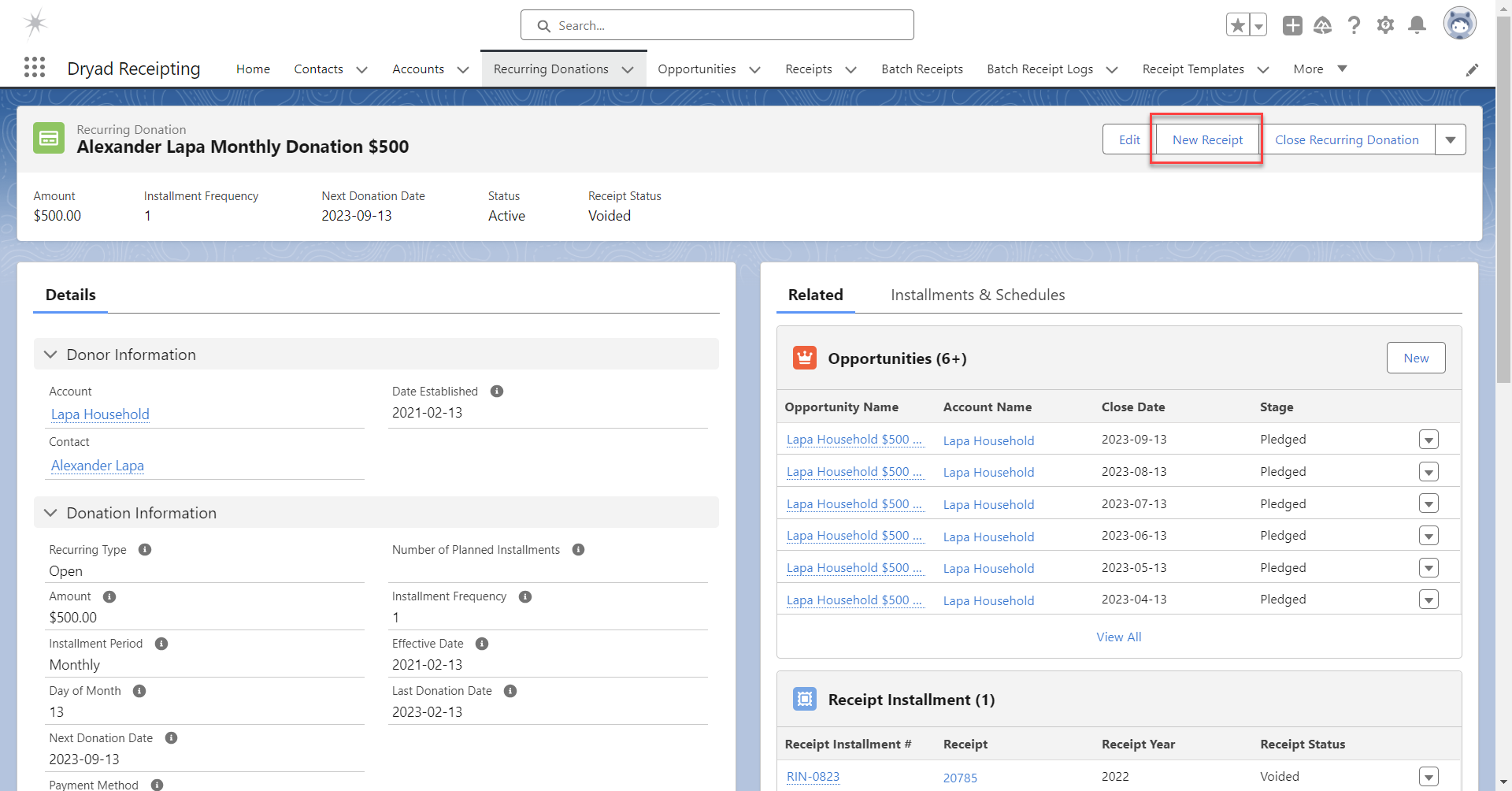
To re-issue a replacement receipt, go to the opportunity or recurring donation that is associated with the voided receipt.
Click on “New Receipt” from that opportunity or recurring donation.
Updated on 2026-09-13
Email Receipts in BatchCreate Receipts in Batch

Sales

  • Pricing
  • FAQ
  • Schedule a Live Demo
  • View a Quick Demo
  • Why Choose Dryad Receipting

Support

  • Support & Documentation
  • Release Notes
  • Terms of Use
  • Privacy Policy

Contact

  • Contact Us
  • About

Dryad Receipting for Salesforce is designed and developed by Dryad Consulting, a Salesforce partner that specializes in nonprofits.

© 2026 Dryad Receipting for Salesforce | Tax Receipting for Canadian and American Charities