
Receipt template editor doesn’t display

Menu

Skip to content
  • Features
  • Tour
  • Pricing
  • About
  • FAQ
  • Français

Receipt template editor doesn’t display

Getting Started

4

FAQ

5
  • Receipt template editor doesn’t display
  • Delivery Status
  • Receipt Occurrence
  • Receipt Delivery
  • Receipt Status

How to

10
  • Change the Fields Displayed in the Tables
  • Use the Receipt Template Editor
  • Add a Custom Field to the Receipt .pdf
  • Merge Receipts in Batch
  • Email Receipts in Batch
  • Void and Re-Issue a Receipt
  • Create Receipts in Batch
  • Create a Single Receipt for a Payment
  • Create a Single Receipt for a Recurring Donation
  • Create a Single Receipt for an Opportunity

Dryad Receipting for Salesforce NPSP

26
  • Third-Party Access and Data Residency
  • Permission Sets
  • Custom Fields
  • Release Notes
  • Data Model
  • Receipt Template Library – English
  • CRA Requirements
  • Change the Fields Displayed in the Tables
  • Use the Receipt Template Editor
  • Add a Custom Field to the Receipt .pdf
  • Merge Receipts in Batch
  • Email Receipts in Batch
  • Void and Re-Issue a Receipt
  • Create Receipts in Batch
  • Create a Single Receipt for a Payment
  • Create a Single Receipt for a Recurring Donation
  • Create a Single Receipt for an Opportunity
  • Receipt template editor doesn’t display
  • Delivery Status
  • Receipt Occurrence
  • Receipt Delivery
  • Receipt Status
  • Register App as Premium Edition
  • Set Federated Charity Model
  • Installation Guide
  • Application Requirements

Receipt Templates

2
  • Receipt Template Library – English
  • CRA Requirements

Technical Information

5

Dryad Receipting for Salesforce NPC

5
  • Third-Party Access and Data Residency
  • Permission Sets
  • Data Model
  • Release Notes
  • Application Requirements

Technical Information

4

Getting Started

1
View Categories
  • Docs
  • Dryad Receipting for Salesforce NPSP
  • Receipt template editor doesn’t display

Receipt template editor doesn’t display

< 1 min read

Issue

When I edit a receipt template, the content shows an unhappy face.
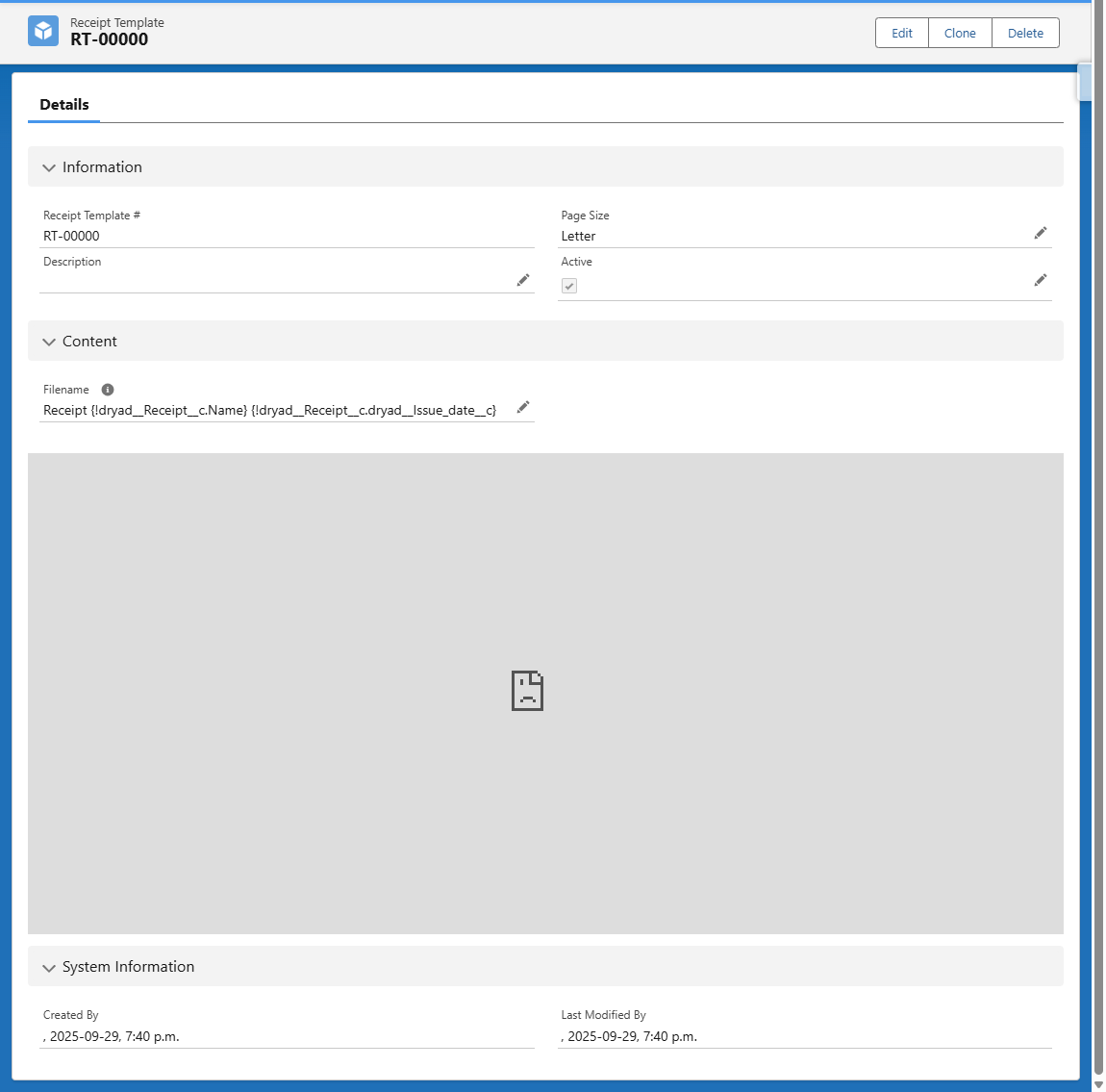
In Chrome’s developer tools, the following error appears:

Refused to frame ‘https://DomainName—SandboxName–dryad.sandbox.vf.force.com/’ because an ancestor violates the following Content Security Policy directive: “frame-ancestors ‘self’ “.

Reason

This is a common Content Security Policy (CSP) issue in Salesforce when embedding Visualforce pages in LWCs across different domains. 

The problem occurs because sandboxes often have different domain configurations than others. 

Solution

There are two options.

Option 1: Disable Clickjack Protection

  1. Go to Setup > Session Settings
  2. In the section “Clickjack Protection”, set “Enable clickjack protection for customer Visualforce pages with headers disabled” to False

Option 2: Configure Trusted Domains for Inline Frames

If disabling Clickjack Protection isn’t desirable or doesn’t resolve the issue, you need to explicitly tell the sandbox that its own domains are safe for framing.

  1. Go to Setup > Session Settings
  2. In the section “Trusted Domains”, click “Add Domain”
  3. Add the following domain
    1. In Production : https://domainName.lightning.force.com
    2. In Sandbox: https://DomainName—SandboxName.sandbox.lightning.force.com
  4.     Set the IFrame Type to “Visualforce Pages”

Updated on 2026-09-13
Create a Single Receipt for an OpportunityDelivery Status

Sales

  • Pricing
  • FAQ
  • Schedule a Live Demo
  • View a Quick Demo
  • Why Choose Dryad Receipting

Support

  • Support & Documentation
  • Release Notes
  • Terms of Use
  • Privacy Policy

Contact

  • Contact Us
  • About

Dryad Receipting for Salesforce is designed and developed by Dryad Consulting, a Salesforce partner that specializes in nonprofits.

© 2026 Dryad Receipting for Salesforce | Tax Receipting for Canadian and American Charities